

The 2026 FIFA World Cup is nearly here, and whether you’re cheering for the Netherlands or your home country, there’s a handy way to watch every match live (wherever the broadcast rights happen to land!).
For foreign football fans in the Netherlands, World Cup season tends to come with a familiar frustration: the broadcaster showing your national team’s games isn’t available where you live.
You plonk down on the couch, fire up your streaming service… and get a politely worded error message instead of the kick-off.
Thankfully, there’s a fairly simple workaround. Here’s everything you need to know about watching the 2026 World Cup from the Netherlands, including how a VPN can ensure you don’t miss a single goal.
Can I watch the 2026 World Cup for free?
The good news is that plenty of well-known broadcasters will be streaming the 2026 World Cup for free.
READ MORE | Why does the Netherlands love orange? The full explainer
In the Netherlands, NOS (also known as the Dutch Broadcasting Foundation) has broadcast rights and will stream matches at no cost on its website and app. If you’re primarily supporting the Dutch squad, you’re sorted.
However, if your loyalties lie elsewhere — such as the UK, Argentina, Germany, Brazil, or further afield — you’ll have to look into alternative viewing options.

If you want reliable, buffer-free access to your preferred World Cup broadcaster from the Netherlands, ExpressVPN is our top pick.
Speeds are strong enough for HD and 4K streaming, and it works across all major devices, including smart TVs, so you can watch the matches on whatever screen suits you.
Currently, these are some of the providers with broadcasting rights for the World Cup:
- Australia: SBS and SBS on Demand
- Austria: Österreichischer Rundfunk and ServusTV On
- Belgium: Auvio, Sporza, Tipik, VRT Max, and VRTCanvas
- Brazil: Cazé TV
- Canada: RDS and TSN1
- New Zealand: TVNZ 1, TVNZ+, and TVNZ Pay Pass
- Spain: PLAY
- UK: ITVX
- USA: FOX, Peacock, Telemundo App, Telemundo Network, and Universo
For the full list, please check out the official FIFA website.
That’s some pretty solid global coverage, but there’s one major catch: most of these services are region-locked. Try to access ITV from Amsterdam, and you’re likely to be redirected before you’ve had a chance to hear the opening whistle.
You might have a perfectly valid account (or access to a free, public broadcaster), but the platform won’t let you in because your IP address says you’re in the wrong country.
How can a VPN help me catch the matches?
A VPN (or Virtual Private Network) is a service that establishes a secure connection between your device and the internet by encrypting your data and rerouting it through a remote server.
This way, it ensures that your IP address stays hidden, and to streaming platforms, it looks like you’re browsing from wherever your server of choice is located.
How does that work in practice? Well, let’s say you want to catch a streaming broadcast from the UK. You simply connect to a UK server and open ITV; the platform sees a UK visitor and lets you in. The same principle applies to any other broadcaster across the globe.
VPNs are also a particularly useful tool if you want to follow your home country’s coverage, commentary, and pre-match analysis, not just the match feed.
READ MORE | VPNs in the Netherlands: The ultimate 2026 guide
With the 2026 World Cup running from June 11 to July 19, 2026, there’s plenty of content to consume if you want to stay in the loop.
Meanwhile, the group stage runs through late June, with the round of 16 and quarter-finals taking place in early July, with the semi-finals on July 14 and 15, and the final on July 19 in New York’s MetLife Stadium.
In other words, you’ve got dozens of matches to look forward to, so it’s worth setting things up properly before the tournament begins.
Is it legal to use a VPN in the Netherlands?
If you’re worried about landing a steep fine, lay those worries to rest, because VPNs are entirely legal in the Netherlands.
In addition to there being no law against using one, many Dutch people opt for a VPN for privacy and security purposes.
Often, the legal question around VPNs tends to come from the terms of service of individual streaming platforms, rather than Dutch law. Some services prohibit VPN use in their terms, but this is a contractual matter between you and the platform, not a criminal one.

The vast majority of users stream with no issues, and enforcement is rare (and frequently avoided through obfuscated servers).
So, if you’re using a VPN to access content you’d be entitled to watch at home (such as a public broadcaster in your home country), the ethical case is about as clean as it gets.
Step-by-step: how to watch the FIFA World Cup with a VPN
Oké, you’ve got your beer, popcorn, and team pride, but how exactly can you kick back and watch the kick off?
1. Choose a reputable VPN
To avoid buffering and a dropped feed, you want a service with fast, stable servers in the countries whose broadcasts you’re trying to access.
Other “nice-to-haves” include a service with solid privacy credentials and a track record of working reliably with major streaming platforms.
In general, you’ll want to steer clear of free VPNs, as they tend to have slow speeds, data caps, and inconsistent access to streaming platforms.
Speed and reliability are vital for live sports broadcasts, and ExpressVPN delivers on both. With over 3,000 servers across 105 countries, its streaming performance is consistently strong even during high-traffic events like the World Cup.
2. Download and install the app on your device
Most reliable VPN providers offer apps for every major platform (such as Windows, Mac, iOS, Android), and often have smart TV and browser extensions, too.
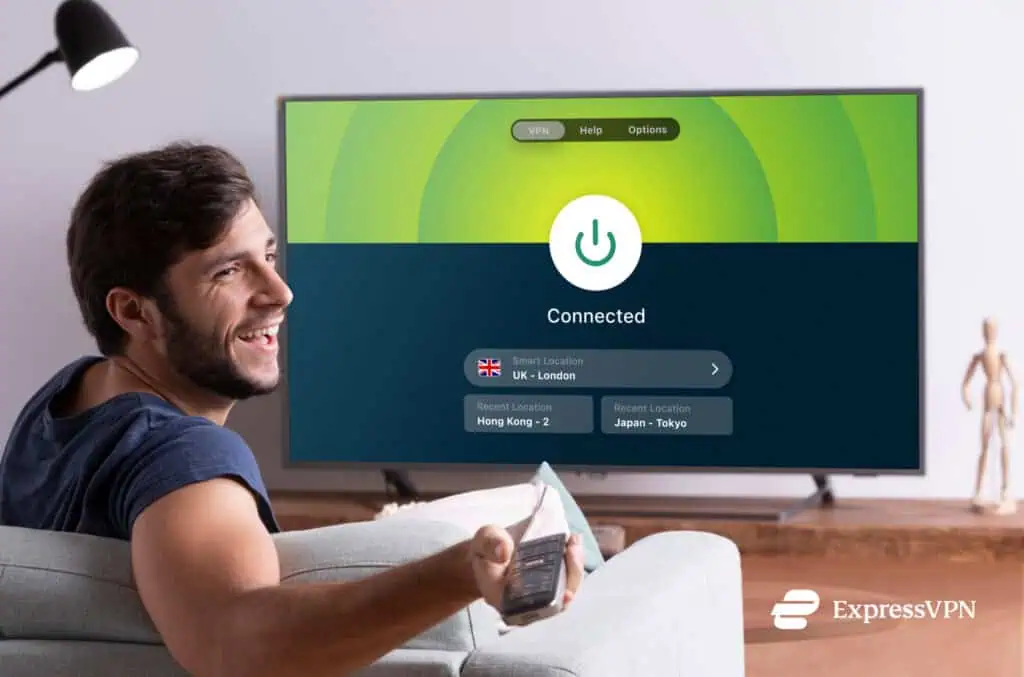
Simply download your VPN of choice to your mobile device, create an account, and log in to your other device.
If you’re planning to watch on your TV, always check whether your VPN supports router-level installation or a smart TV app.
3. Connect to a server in your target country
Just open your VPN app and select a server in the country whose broadcast you want to access. If you’re aiming for ITV, connect to a UK server. For FOX or Peacock, pick a US server.
Some VPNs have servers optimised specifically for streaming, so always check if your provider offers these.
4. Open your preferred streaming service
With your VPN connected, head to the broadcaster’s website or app as normal. Log in if required, and navigate to the World Cup coverage.
The platform should now recognise your connection as coming from the right region, but you can always try switching to a different server in the same country if you run into any issues.
5. Enjoy the match
Done and dusted — it’s time to watch some footy!

Tips for smooth World Cup streaming with a VPN
If you want the most stress-free viewing experience, there are a few things worth knowing before the tournament kicks off:
- Test your setup before match day to ensure everything’s working smoothly.
- Use a wired connection if possible. Ethernet can be more stable than Wi-Fi and reduces the risk of buffering during crucial moments.
- Check for a kill switch feature. If your VPN connection drops mid-match, a kill switch can prevent your real IP from being exposed to your streaming platform.
So set it up in advance, pick your matches, and settle in. It’s going to be a long and glorious summer of football, and you don’t want to miss it.
Setting up ExpressVPN takes less than five minutes, and once you’re connected, switching between servers is seamless — handy if you want to hop between broadcasters across different countries. One subscription covers up to eight devices, so the whole household can catch the action simultaneously.
Are you planning to follow your home country’s coverage, or go full Oranje boven? Let us know in the comments below.